
If you’ve noticed your traffic shifting even though your rankings look fine, you’re not imagining things. Google’s AI Overviews, ChatGPT, Perplexity, and Gemini are now reading and summarizing WordPress content directly — and they’re far pickier about structure than traditional search crawlers ever were. Getting your WordPress content structure right isn’t a nice-to-have anymore; it’s the difference between being cited by an AI answer and being invisible in one.
We’ve spent years building and auditing WordPress and Elementor sites, and the pattern is consistent: the sites that get pulled into AI answers almost always share the same structural habits. This guide walks through exactly what those habits are, why they work, and how to apply them to your own pages without rewriting your entire site from scratch.
Why AI Search Relies on Content Structure
Traditional SEO rewarded content that was relevant and reasonably organized. AI search engines are less forgiving. They need to break your page into discrete, extractable chunks of meaning before they can summarize or quote it.
Think of it this way: a human skimming a messy article can still figure out what matters. A language model parsing your page has to infer structure from your HTML and formatting alone. If your WordPress content structure is flat — walls of text under vague headings — the model has nothing clean to extract, so it skips you in favor of a competitor whose page is easier to parse.
This is true whether the AI is Google’s AI Overview, ChatGPT browsing the web, or Perplexity building a cited answer. Good WordPress content structure gives these systems clearly bounded, well-labeled pieces of information they can lift out with confidence. That’s the whole game.
Proper H1–H6 Hierarchy: The Backbone of AI-Friendly WordPress Content
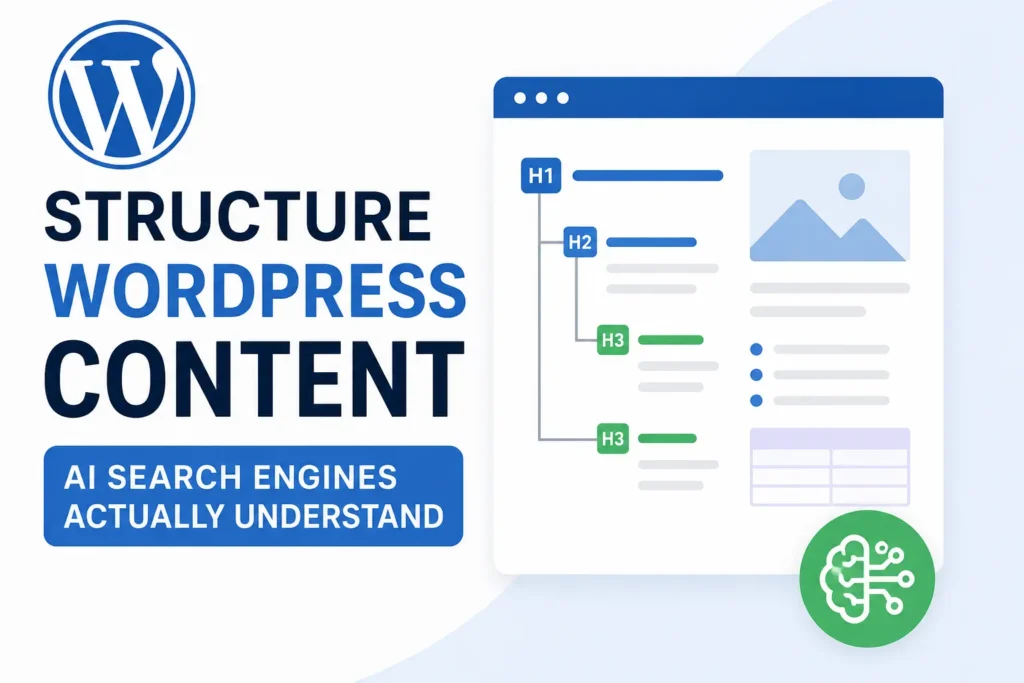
Heading hierarchy is the single most overlooked element of WordPress SEO, and it’s usually the first thing we fix during an audit. A page should have exactly one H1, followed by a logical nesting of H2s, H3s, and occasionally H4s beneath them.
Here’s the pattern we recommend on every project:
| Heading Level | Purpose | Example |
|---|---|---|
| H1 | Page title, used once | How to Structure WordPress Content That AI Search Engines Actually Understand |
| H2 | Major sections | Proper H1–H6 Hierarchy |
| H3 | Subtopics within a section | Common Heading Mistakes |
| H4 | Rare, used for deep detail | Heading Structure in Elementor’s Nested Tabs |
A common mistake we see in Elementor builds is using heading tags purely for visual size instead of semantic order — a designer picks “H2” because it looks the right size, not because it belongs in that spot in the hierarchy. This breaks the outline AI models rely on to understand your WordPress heading structure, even if the page looks fine to a human visitor.
Quick fix: In the Elementor editor, always set the HTML tag in the Heading widget’s Advanced tab to match its actual place in the outline, not its font size. Adjust the visual size separately using typography settings.
Semantic HTML Still Matters — Maybe More Than Ever
Semantic HTML means using the tag that actually describes the content, not just one that renders correctly. A <blockquote> for a quote, a <table> for tabular data, a <ul> for a list, an <em> for emphasis — not a styled <div> pretending to be all of those things.
AI crawlers and large language models lean heavily on semantic HTML to understand relationships between pieces of content. A visually identical page built entirely out of generic <div> containers gives them almost nothing to work with, even though it looks perfectly normal to a visitor.
This matters a lot in page builders, including Elementor, because it’s technically possible to build an entire page out of styled boxes without ever touching a real heading, list, or table tag. If your existing website has poor heading hierarchy or inconsistent semantic markup, a professional Website Redesign can rebuild that foundation properly rather than patching it page by page.
Short, Readable Paragraphs Win in AI Search
Long, dense paragraphs are hard for both humans and AI systems to extract clean statements from. Short paragraphs — two to three sentences — are far easier to quote, summarize, and cite accurately.
This isn’t about dumbing content down. It’s about isolating one idea per paragraph so a model (or a skimming reader) can lift that idea cleanly without dragging in unrelated context.
Try this test: open one of your older blog posts and count the sentences in each paragraph. If you’re regularly hitting five or six sentences, that’s likely a page AI search tools are struggling to summarize accurately.
Lists, Tables, and Structured Formatting
Bullet lists, numbered steps, and comparison tables are some of the most AI-friendly WordPress content formats available, because they’re already pre-chunked into discrete, labeled pieces.
Use this general guide when deciding on formatting:
- Numbered lists — for sequential steps or processes
- Bullet lists — for non-sequential items, features, or options
- Tables — for comparing two or more things across shared attributes
- Checklists — for anything a reader will act on directly
Example: Formatting Decision Table
| Content Type | Best Format | Why |
|---|---|---|
| Step-by-step tutorial | Numbered list | AI models can extract sequence and order |
| Pricing tiers | Comparison table | Easy to isolate specific attributes |
| Feature overview | Bullet list | Each item stands alone as a fact |
| Pros and cons | Two-column table | Clear contrast, easy to quote |
In Elementor, the Icon List and Table widgets render clean, semantic markup by default, which is one more reason to use native widgets instead of forcing formatted text into a plain Text Editor widget.
FAQ Sections: A Direct Line Into AI Answers
FAQ sections are one of the most effective tools for AI Search Optimization because they mirror exactly how people phrase questions to ChatGPT, Gemini, and voice assistants. Each question-and-answer pair is a self-contained, extractable unit — precisely what AI Overviews and chat-based tools are built to lift out.
A good FAQ answer should be two to four sentences, lead with the direct answer first, and avoid burying the point in setup. Save nuance and elaboration for after the direct answer, not before it.
If you’re publishing articles regularly, a proper Blog Setup & Design makes it far easier to maintain a consistent FAQ format across every post instead of reinventing it each time.
Internal Linking and Topic Clusters
Internal linking tells both search engines and AI crawlers how your content relates to itself — which pages are authoritative hubs and which are supporting detail. This is the foundation of topic clusters: one comprehensive “pillar” page linked to several narrower, related posts.
For example, a pillar page on “WordPress SEO” might link out to narrower posts on WordPress heading structure, schema markup, and site speed, while each of those posts links back to the pillar. This structure helps AI search engines understand topical authority the same way it helps human readers navigate deeper into a subject.
A few practical rules we follow:
- Link using descriptive anchor text, never “click here”
- Link to the most relevant page, not just the newest one
- Keep pillar pages updated as supporting posts are added
- Avoid orphaned pages with zero internal links pointing to them
If you’re running SEO Optimization work on an existing site, auditing internal links for topic clusters is usually one of the highest-leverage fixes available, because it improves both crawl efficiency and topical clarity at once.
Schema Markup: Giving AI Explicit Signals
Schema markup (structured data) explicitly labels what a piece of content is — an article, an FAQ, a product, a review, a how-to — in a format machines can read without guessing. While good HTML structure helps AI infer meaning, schema markup removes the guesswork entirely.
Common schema types worth adding to WordPress content:
- Article schema — for blog posts and guides
- FAQPage schema — for FAQ sections (this is a big one for AI Overviews)
- HowTo schema — for step-by-step tutorials
- Product and Review schema — for eCommerce pages
- BreadcrumbList schema — for site hierarchy clarity
Most modern WordPress SEO plugins can generate this automatically, but it still needs to be checked page by page — a common mistake is having FAQ schema markup on a page where the visible FAQ content doesn’t actually match what’s marked up, which can get the schema ignored or the page flagged. If you’re running WooCommerce, correct Product and Review schema is especially important, and this is often something we clean up as part of eCommerce / WooCommerce Development projects.
Image Optimization for AI and Traditional Search
Images contribute to WordPress content structure in ways that are easy to overlook. Descriptive file names, proper alt text, and correctly nested images within their relevant section all help AI systems understand what a page is actually about.
Image optimization checklist:
- File names describe the image (
elementor-heading-hierarchy-example.jpg, notIMG_2931.jpg) - Alt text describes content and function, not just keywords
- Images are placed directly within the section they illustrate
- File sizes are compressed for fast loading
- Modern formats (WebP) are used where supported
Heavy, unoptimized images also drag down page speed, which affects both user experience and how efficiently crawlers can process your page. If your pages load slowly, Speed Optimization can improve both user experience and crawl efficiency, which indirectly supports how well AI systems can access and parse your content in the first place.
EEAT: Why Structure Alone Isn’t Enough
Structure gets your content parsed correctly. EEAT (Experience, Expertise, Authoritativeness, Trustworthiness) is what gets it trusted and cited. AI search tools increasingly weigh signals like author bios, real-world examples, original photos or screenshots, and clear sourcing when deciding what to surface.
A few ways to strengthen EEAT on WordPress content:
- Add a real author bio with credentials relevant to the topic
- Include original screenshots or examples instead of stock imagery
- Reference specific tools, versions, or scenarios rather than speaking in generalities
- Keep publish and “last updated” dates visible and accurate
- Link out to credible external sources where relevant
We’ve found that pages combining strong WordPress content structure with genuine, specific experience — actual screenshots, actual numbers, actual edge cases — consistently outperform generic content, even when the generic version is longer.
Common Mistakes That Hurt AI Visibility
| Mistake | Why It Hurts AI Search | Fix |
|---|---|---|
| Multiple H1 tags on one page | Confuses the page’s main topic signal | Use one H1 per page, set in Elementor’s Advanced tab |
| Headings chosen by size, not order | Breaks logical outline for parsing | Match heading tags to hierarchy, not font size |
| Text-only content with no lists or tables | Hard to extract discrete facts | Convert dense paragraphs into structured formats |
| Missing or duplicate schema markup | Machines can’t confirm content type | Audit schema per page, not just site-wide |
| Generic alt text or file names | Loses image context signals | Rename files and write descriptive alt text |
| No FAQ section on informational pages | Misses direct AI Overview opportunities | Add 5–10 relevant Q&A pairs |
| Orphaned pages with no internal links | Breaks topic cluster signals | Link from at least one relevant hub page |
Best Practices Checklist for AI-Friendly WordPress Content
Use this as a pre-publish checklist for any new WordPress or Elementor page:
- One H1, logical H2–H4 hierarchy beneath it
- Paragraphs kept to two or three sentences
- At least one list or table per major section
- FAQ section with 5–10 direct, concise answers
- Descriptive internal links to related pillar or supporting content
- Correct, matching schema markup for the content type
- Optimized images with descriptive file names and alt text
- Author byline and updated publish date
- Fast load time, ideally under 2.5 seconds
If checking every item on this list across dozens of existing pages feels overwhelming, WordPress Maintenance & Support can handle ongoing structural cleanup so new content stays consistent without becoming a full-time job.
Frequently Asked Questions
What is WordPress content structure?
WordPress content structure refers to how a page’s headings, paragraphs, lists, and HTML elements are organized so both readers and search or AI systems can easily understand the content’s hierarchy and meaning.
Why do AI search engines care about heading hierarchy?
AI search engines use heading hierarchy to build an outline of a page’s topics and subtopics. A clean, logical H1–H6 structure makes it much easier for them to extract and summarize accurate information.
Does Elementor support proper semantic HTML?
Yes. Elementor’s native Heading, List, and Table widgets output semantic HTML when configured correctly, but the HTML tag for each heading needs to be set manually to match its true place in the hierarchy.
How short should paragraphs be for AI-friendly content?
Two to three sentences per paragraph is a reliable target. This length keeps each idea isolated, which makes the content easier to extract, quote, and summarize accurately.
Do FAQ sections actually help with Google AI Overview visibility?
Yes. FAQ sections formatted as direct question-and-answer pairs, ideally with FAQPage schema, are one of the more consistently effective formats for appearing in AI Overviews and similar AI-generated answers.
What’s the difference between WordPress SEO and AI Search Optimization?
WordPress SEO traditionally focuses on rankings in Google’s blue-link results. AI Search Optimization focuses on making content easy for AI systems to parse, summarize, and cite directly within generated answers, which involves many of the same structural fundamentals plus a sharper focus on clarity and extractability.
How many internal links should a blog post have?
There’s no fixed number, but every post should link to at least one relevant pillar or hub page and, where genuinely relevant, to one or two closely related supporting posts.
Does page speed affect AI search visibility?
Indirectly, yes. Slow pages are harder for crawlers to fully process and can affect whether AI systems access complete content, in addition to the direct impact on user experience and traditional rankings.
Is schema markup required for AI search visibility?
It’s not strictly required, but it significantly reduces ambiguity for AI systems trying to classify your content, which often improves the odds of accurate representation in AI-generated answers.
Can an existing WordPress site be restructured without a full rebuild?
In most cases, yes. Heading hierarchy, semantic HTML, schema markup, and formatting can usually be corrected page by page without a full redesign, though a Website Redesign may make sense if structural issues are widespread across the site.
Key Takeaways
Good WordPress content structure isn’t a cosmetic exercise — it’s the mechanism that lets AI search engines actually read, trust, and cite your content. Clean heading hierarchy, semantic HTML, short paragraphs, structured lists and tables, FAQ sections, accurate schema, and genuine EEAT signals all work together toward the same goal: making your content as easy as possible for a machine to understand correctly.
Before you publish your next page, run it against the checklist above and see how many boxes it actually checks. Most sites we audit are missing at least three or four of these fundamentals, and fixing them is usually far faster than writing an entirely new article.
If you’d like a second pair of eyes on your site’s structure, SEO, speed, or overall WordPress setup, the Elementor Team is happy to help you sort out what’s working, what isn’t, and what to fix first.