
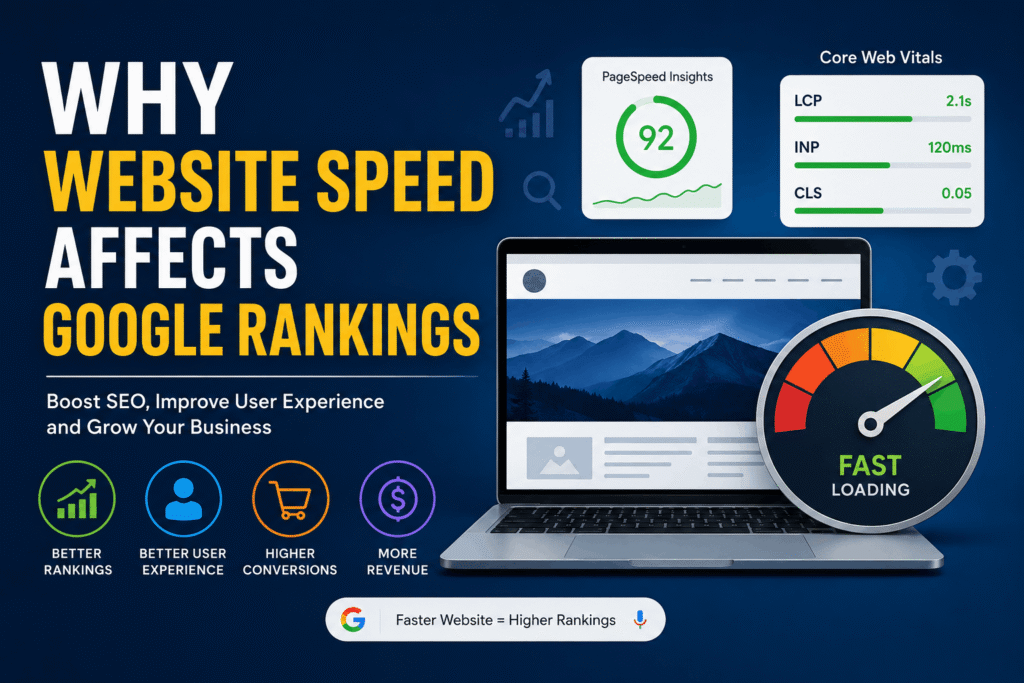
Website speed is more than a performance metric—it’s a key factor in SEO, user experience, and conversions. Learn how Google evaluates website speed, why it matters for rankings, and practical ways to make your website faster.
Why Website Speed Affects Google Rankings
Today’s internet users expect websites to load almost instantly. Whether they’re shopping online, reading a blog, or searching for local services, people rarely wait more than a few seconds for a page to appear. If your website is slow, visitors are likely to leave before they even see your content.
Website speed is no longer just a technical concern. It directly affects user experience, search engine optimization (SEO), and business performance. A slow-loading website can increase bounce rates, reduce conversions, and make it harder for your pages to rank well in Google Search.
Google’s goal is simple: deliver the best possible experience to users. Because fast websites create happier users, Google considers website performance when evaluating search rankings. While speed isn’t the only ranking factor, it plays an important role in how your website performs in search results.
If you’re a business owner, WordPress user, or website manager, improving your website speed is one of the smartest investments you can make. A faster website doesn’t just help with SEO—it also builds trust, keeps visitors engaged, and increases the likelihood of generating leads or sales.
In this guide, you’ll learn exactly why website speed affects Google rankings, how Google measures performance, and the practical steps you can take to build a faster, more successful website.
Table of Contents
- What Is Website Speed?
- Does Google Use Website Speed as a Ranking Factor?
- How Slow Websites Hurt SEO
- Understanding Core Web Vitals
- How Website Speed Affects User Experience
- Common Reasons Websites Become Slow
- How to Improve Website Speed
- Best Tools to Measure Website Speed
- WordPress Speed Optimization Tips
- Common Website Speed Myths
- Frequently Asked Questions
- Conclusion
- Key Takeaways
What Is Website Speed?
Website speed refers to how quickly a website loads and becomes usable for visitors. It measures the time it takes for a browser to download, process, and display all the content on a webpage.
Many people use the terms website speed and page speed interchangeably, but they aren’t exactly the same.
- Website speed refers to the overall performance of an entire website.
- Page speed measures how quickly an individual webpage loads.
For example, your homepage might load in two seconds, while your blog pages take five seconds because they contain larger images. In this case, your website speed is inconsistent, and individual page speed needs improvement.
How Browsers Load a Webpage
When someone visits your website, their browser performs several tasks before displaying the page:
- Sends a request to your server.
- Downloads HTML files.
- Loads CSS stylesheets.
- Processes JavaScript.
- Downloads images, fonts, and videos.
- Renders everything on the screen.
Every additional request adds time. The more resources a page needs, the longer it takes to load.
Why Milliseconds Matter
Imagine walking into a store where the automatic door takes five seconds to open. Most people would feel frustrated before they even entered.
Your website creates the same first impression online.
Even delays of just a few hundred milliseconds can make a website feel sluggish. Faster websites encourage visitors to stay longer, explore more pages, and complete valuable actions like making a purchase or submitting a contact form.
Does Google Use Website Speed as a Ranking Factor?
Yes. Google has officially confirmed that website speed is one of its ranking signals.
However, it’s important to understand that speed alone won’t guarantee top rankings. Google evaluates hundreds of ranking factors, including content quality, relevance, backlinks, search intent, and user experience.
Website speed simply helps Google determine whether your website provides a positive experience for visitors.
Mobile-First Indexing Makes Speed Even More Important
Google now primarily evaluates the mobile version of your website. Since many users browse on smartphones using mobile networks, page speed becomes even more critical.
A website that performs well on desktop but loads slowly on mobile devices may struggle to compete in search results.
The Page Experience Update
Google introduced the Page Experience update to reward websites that provide smooth, user-friendly experiences.
Page experience includes several signals, including:
- Mobile friendliness
- HTTPS security
- Safe browsing
- No intrusive pop-ups
- Fast loading performance
Together, these factors help Google determine whether visitors are likely to enjoy using your website.
Core Web Vitals
One of the biggest parts of Google’s page experience signals is Core Web Vitals.
These metrics measure:
- Loading performance
- Visual stability
- Responsiveness
Instead of relying on technical benchmarks alone, Google measures how real users experience your website.
We’ll explore Core Web Vitals in detail later in this guide.
Great Content Still Matters Most
A fast website cannot compensate for poor content.
If two websites publish equally helpful content, the faster website often has an advantage. But if your content doesn’t answer users’ questions, speed alone won’t help you rank higher.
The best-performing websites combine:
- High-quality content
- Excellent user experience
- Fast loading times
- Strong technical SEO
How Slow Websites Hurt SEO
Many website owners think speed is only about convenience. In reality, slow websites can negatively impact nearly every part of your SEO strategy.
High Bounce Rate
Visitors expect immediate results.
If your page takes too long to load, many users leave without interacting with your content.
For example, imagine someone searching for “best WordPress hosting.” They click your page, wait several seconds, and decide to return to Google’s search results instead.
Google may interpret this as a sign that your page didn’t satisfy the user’s expectations.
Higher bounce rates often mean fewer opportunities to generate leads, subscribers, or customers.
Poor User Experience
A slow website feels frustrating.
Visitors may experience:
- Delayed button clicks
- Slow page transitions
- Images loading after text
- Pages freezing while scripts load
These issues reduce trust and make users less likely to continue browsing.
A positive user experience encourages visitors to spend more time exploring your content, which can improve overall engagement.
Lower Crawl Efficiency
Google uses automated bots to crawl and index websites.
When your website loads slowly, these bots can crawl fewer pages within the same amount of time.
For small websites, this may not be noticeable.
However, larger websites with hundreds or thousands of pages can experience slower indexing, making it harder for new content to appear in search results quickly.
Reduced Conversions
Website speed doesn’t only affect SEO—it directly impacts business results.
Imagine an online store where product pages take six seconds to load.
Potential customers may abandon the purchase before viewing product details or reaching the checkout.
Even service-based businesses can lose inquiries when slow contact forms or booking pages discourage visitors from completing them.
Lost Revenue
Every second matters.
A slower website can lead to:
- Fewer sales
- Lower lead generation
- Reduced advertising ROI
- Less customer trust
- Higher abandonment rates
For businesses that rely on online traffic, improving website speed often delivers one of the highest returns on investment.
Instead of spending more money attracting visitors, you improve the experience for the visitors you already have, increasing the likelihood that they become paying customers.
Understanding Core Web Vitals
Google doesn’t judge website speed using a single measurement. Instead, it relies on Core Web Vitals, a set of performance metrics that reflect how real users experience your website.
Think of Core Web Vitals as a website health check. They measure whether your pages load quickly, respond smoothly, and remain visually stable while loading.
Core Web Vitals Comparison
| Metric | Good Score | Poor Score | Why It Matters |
|---|---|---|---|
| Largest Contentful Paint (LCP) | 2.5 seconds or less | More than 4 seconds | Measures how quickly the main content becomes visible. |
| Interaction to Next Paint (INP) | 200 milliseconds or less | More than 500 milliseconds | Measures how quickly the page responds to user interactions. |
| Cumulative Layout Shift (CLS) | 0.1 or less | More than 0.25 | Measures visual stability while the page loads. |
Largest Contentful Paint (LCP)
Largest Contentful Paint (LCP) measures how long it takes for the largest visible element on a page to load.
This is often:
- A large hero image
- A featured banner
- A video thumbnail
- A large heading
Good Score
2.5 seconds or less
Poor Score
More than 4 seconds
Why It Matters
Visitors want to see meaningful content as quickly as possible.
If your largest image or heading takes several seconds to appear, users may think the website is broken or unreliable.
Common causes of poor LCP include:
- Slow web hosting
- Large, uncompressed images
- Render-blocking CSS
- Excessive JavaScript
- Slow server response times
Interaction to Next Paint (INP)
Interaction to Next Paint (INP) measures how quickly your website responds after a visitor interacts with it.
For example, when someone:
- Clicks a button
- Opens a menu
- Submits a contact form
- Adds a product to the cart
The page should respond almost instantly.
Good Score
200 milliseconds or less
Poor Score
More than 500 milliseconds
Why It Matters
Users expect websites to react immediately.
If someone clicks “Buy Now” and nothing happens for a second or two, they may click repeatedly or leave the website altogether.
Slow interactions often result from:
- Heavy JavaScript
- Poorly optimized plugins
- Third-party scripts
- Long-running browser tasks
Cumulative Layout Shift (CLS)
Cumulative Layout Shift (CLS) measures how much a webpage unexpectedly moves while it’s loading.
Have you ever tried clicking a button, only to have it move at the last second because an image suddenly appeared?
That’s layout shift.
Good Score
0.1 or less
Poor Score
More than 0.25
Why It Matters
Unexpected movement creates a frustrating user experience.
It can cause visitors to:
- Click the wrong button
- Lose their place while reading
- Accidentally purchase the wrong product
- Become frustrated and leave
Common causes include:
- Images without width and height attributes
- Ads loading after page content
- Dynamically injected content
- Fonts swapping during loading
How Website Speed Affects User Experience
Website speed isn’t just about pleasing Google—it’s about creating a better experience for every visitor.
A fast website makes people feel confident, while a slow one creates frustration before they even begin reading.
Strong First Impressions
Visitors form opinions within seconds.
If your website loads quickly, it immediately feels professional and trustworthy.
On the other hand, a slow-loading page can make even an excellent business appear outdated or unreliable.
Better Mobile Experience
More than half of all web traffic now comes from mobile devices.
Mobile users often browse using slower connections than desktop users, making speed even more important.
A lightweight, fast-loading website keeps mobile visitors engaged and reduces the chance they’ll leave before viewing your content.
Improved Online Shopping Experience
For eCommerce websites, every second counts.
Customers expect to:
- Browse products quickly
- View images instantly
- Add items to the cart without delay
- Complete checkout smoothly
A slow shopping experience can lead to abandoned carts and lost sales.
Increased Trust
Speed influences credibility.
Fast websites appear:
- More reliable
- More secure
- Better maintained
- More professional
Visitors naturally trust websites that perform well.
Higher Engagement
Fast websites encourage users to explore.
Visitors are more likely to:
- Read multiple articles
- Visit additional pages
- Watch videos
- Click internal links
- Sign up for newsletters
The easier your website is to use, the longer visitors tend to stay.
Longer Session Duration
People enjoy browsing websites that respond quickly.
When pages load without delay, visitors continue discovering more content instead of becoming impatient.
Longer sessions often signal stronger engagement and better overall website quality.
More Returning Visitors
Positive experiences encourage repeat visits.
If users know your website loads quickly every time, they’re much more likely to return when they need information or services again.
Speed helps build long-term customer relationships.
The Business Impact of Small Delays
Research has consistently shown that even small increases in page load time can reduce user satisfaction and conversions.
While every website is different, the trend is clear:
Faster websites generally generate better engagement, more leads, and higher revenue than slower competitors.
Common Reasons Websites Become Slow
Most website speed problems have multiple causes rather than a single issue.
Below are the most common reasons websites experience poor performance.
- Large Images – High-resolution images that aren’t compressed take longer to download.
- Too Many Plugins – While plugins themselves aren’t always bad, poorly coded or unnecessary plugins can increase loading times.
- Cheap Hosting – Low-cost hosting often places many websites on the same server, reducing available resources.
- Slow Server Response Time – If your server takes too long to respond, visitors wait longer before the page even starts loading.
- Render-Blocking CSS – Large CSS files can delay the browser from displaying visible content.
- Excessive JavaScript – Heavy JavaScript files require additional processing before users can interact with the page.
- Third-Party Scripts – Live chat tools, advertising platforms, tracking pixels, and social media widgets all add extra requests.
- Too Many Web Fonts – Loading several font families and multiple font weights increases page size.
- Missing Browser Caching – Without caching, returning visitors must download the same files every time they visit.
- No Content Delivery Network (CDN) – Visitors located far from your hosting server experience slower loading times.
- Database Bloat – Over time, WordPress databases collect unnecessary revisions, expired data, spam comments, and temporary files that slow performance.
The good news is that nearly all of these issues can be fixed with proper optimization.
How to Improve Website Speed
Improving website performance doesn’t always require rebuilding your entire website.
Small improvements often produce noticeable results.
Compress Images
Large images are one of the biggest causes of slow websites.
Before uploading images:
- Resize them appropriately.
- Compress them without reducing visible quality.
- Avoid uploading images that are much larger than necessary.
Smaller images load faster while maintaining excellent visual quality.
Use Modern Image Formats (WebP & AVIF)
Modern image formats provide significantly smaller file sizes than traditional JPEG and PNG images.
Replacing older formats with WebP or AVIF can noticeably improve page load times, especially on image-heavy websites.
Enable Browser Caching
Caching allows visitors’ browsers to store frequently used files locally.
When users return, the browser can load many resources from their device instead of downloading everything again.
This greatly improves repeat visit performance.
Minify CSS
CSS files often contain unnecessary spaces, comments, and formatting.
Minification removes this extra code, reducing file size and speeding up downloads.
Minify JavaScript
JavaScript files can also be compressed.
Smaller JavaScript files load faster and reduce the amount of work browsers must perform before the page becomes interactive.
Remove Unused CSS
Many themes and plugins load CSS that your website never uses.
Removing unused styles reduces file size and improves rendering speed.
Use a Content Delivery Network (CDN)
A CDN stores copies of your website on servers around the world.
Instead of loading your website from a single location, visitors receive content from the server closest to them.
This reduces latency and improves global performance.
Choose Fast Hosting
Hosting is the foundation of website performance.
A high-quality hosting provider typically offers:
- Faster servers
- Better caching
- Improved uptime
- Modern hardware
- Optimized software
Even the best optimization techniques can’t fully compensate for poor hosting.
Remove Unused Plugins
Not every plugin slows down WordPress.
However, outdated or unnecessary plugins increase maintenance and may load additional scripts.
Regularly review installed plugins and remove any that are no longer needed.
Lazy Load Images
Lazy loading delays image downloads until users scroll near them.
This reduces the amount of data loaded initially and helps pages appear much faster.
Optimize Fonts
Use only the fonts and font weights your website actually needs.
Hosting fonts locally and limiting unnecessary variations can reduce page size and improve loading speed.
Optimize Your Database
Routine database maintenance helps WordPress perform more efficiently.
Cleaning up:
- Post revisions
- Spam comments
- Expired transients
- Temporary data
can improve backend performance.
Enable GZIP or Brotli Compression
Compression reduces the size of website files before they are sent to visitors.
Smaller files download more quickly, improving page speed without changing the content itself.
Reduce Redirects
Every redirect creates an additional request between the visitor and your server.
Removing unnecessary redirects helps pages load faster and improves user experience.
Keep WordPress Updated
Always keep your:
- WordPress core
- Theme
- Plugins
- PHP version
up to date.
Updates often include performance improvements, security patches, and compatibility fixes that contribute to a faster website.
With these optimizations in place, you’ll not only improve website speed but also create a smoother experience for visitors and give your site a stronger foundation for long-term SEO success.
Best Tools to Measure Website Speed
Improving website speed starts with understanding how your site performs. Fortunately, several reliable tools can analyze your website, identify bottlenecks, and provide recommendations for improvement.
Here are five of the most popular website speed testing tools.
Google PageSpeed Insights
Best for: SEO and Core Web Vitals analysis
Difficulty: Beginner-friendly
Pricing: Free
Google PageSpeed Insights is one of the most widely used performance testing tools because it uses Google’s own performance metrics.
It provides two types of data:
- Field Data: Real-world performance from actual Chrome users.
- Lab Data: Simulated performance tests that help identify issues.
The report includes valuable metrics such as:
- Largest Contentful Paint (LCP)
- Interaction to Next Paint (INP)
- Cumulative Layout Shift (CLS)
- First Contentful Paint (FCP)
- Time to Interactive (TTI)
It also provides recommendations like image optimization, removing unused CSS, reducing JavaScript, and improving server response times.
GTmetrix
Best for: Detailed performance analysis
Difficulty: Beginner to Intermediate
Pricing: Free with premium options
GTmetrix combines detailed technical reports with easy-to-understand performance grades.
It helps identify:
- Large files
- Slow-loading resources
- Long server response times
- Waterfall loading charts
- Rendering delays
The waterfall chart is especially useful because it shows exactly how every file loads, making it easier to pinpoint performance bottlenecks.
Pingdom Website Speed Test
Best for: Quick performance testing
Difficulty: Beginner
Pricing: Free test with paid monitoring services
Pingdom is ideal if you want a simple overview of your website’s loading speed.
It measures:
- Total page size
- Number of requests
- Overall loading time
- Performance grade
Its clean interface makes it a great choice for business owners who don’t need highly technical reports.
Lighthouse (Chrome DevTools)
Best for: Developers and advanced users
Difficulty: Intermediate
Pricing: Free
Lighthouse is built directly into Google Chrome.
It audits several aspects of your website, including:
- Performance
- Accessibility
- SEO
- Best practices
- Progressive Web App (PWA) readiness
Because it runs locally inside Chrome, developers often use it while optimizing websites during development.
WebPageTest
Best for: Advanced performance testing
Difficulty: Intermediate to Advanced
Pricing: Free
WebPageTest offers one of the most detailed performance reports available.
You can test:
- Different browsers
- Various devices
- Multiple geographic locations
- Different internet connection speeds
This makes it particularly useful for websites with visitors from around the world.
WordPress Speed Optimization Tips
WordPress is one of the fastest content management systems when properly optimized. However, poor configuration can significantly reduce performance.
Here are some best practices to keep your WordPress website running efficiently.
Choose a Lightweight Theme
A lightweight theme contains clean, efficient code and avoids unnecessary features.
Well-built themes generally:
- Load fewer assets
- Require less JavaScript
- Produce cleaner HTML
- Deliver better overall performance
Choose a theme based on quality rather than the number of built-in features.
Invest in Quality Hosting
Your hosting provider plays a major role in website speed.
Look for hosting that offers:
- SSD or NVMe storage
- PHP 8.x support
- Server-level caching
- HTTP/2 or HTTP/3
- Reliable uptime
- Fast global infrastructure
Quality hosting provides a solid foundation for every other optimization.
Use Performance Plugins Wisely
Performance plugins can automate many optimization tasks, including:
- File minification
- Browser caching
- Lazy loading
- CSS optimization
- JavaScript optimization
Popular examples include LiteSpeed Cache, WP Rocket, W3 Total Cache, and FlyingPress.
Choose one solution that fits your hosting environment rather than installing multiple optimization plugins that perform the same tasks.
Optimize Images
Image optimization plugins automatically compress uploaded images and convert them into modern formats such as WebP.
Popular options include:
- ShortPixel
- Imagify
- EWWW Image Optimizer
- Smush
These tools reduce image sizes while maintaining good visual quality.
Configure Proper Caching
Caching is one of the most effective ways to speed up WordPress.
A properly configured cache reduces the amount of work required each time someone visits your website.
This leads to:
- Faster loading times
- Lower server usage
- Better user experience
Integrate a CDN
A Content Delivery Network stores copies of your website on servers around the world.
Visitors automatically receive content from the server closest to them, reducing loading times regardless of location.
This is particularly beneficial for websites with an international audience.
Optimize Your Database Regularly
As your website grows, your database accumulates unnecessary data.
Routine maintenance should include removing:
- Spam comments
- Post revisions
- Expired transients
- Orphaned metadata
A clean database improves both frontend and backend performance.
Keep Everything Updated
Regularly update:
- WordPress Core
- Themes
- Plugins
- PHP version
Updates often include performance improvements, bug fixes, and security enhancements that contribute to a faster website.
Common Website Speed Myths
There are many misconceptions about website performance. Let’s separate fact from fiction.
Myth 1: Website Speed Doesn’t Matter
Reality:
Website speed affects user experience, conversions, and search visibility. Slow websites often lose visitors before they have a chance to engage with your content.
Myth 2: Only the Homepage Needs to Be Fast
Reality:
Every page matters.
Visitors may land directly on:
- Blog posts
- Product pages
- Service pages
- Landing pages
Each page should load quickly to provide a consistent experience.
Myth 3: More Plugins Always Slow Down WordPress
Reality:
The number of plugins isn’t the problem.
Poorly coded or unnecessary plugins are far more likely to cause performance issues than a reasonable number of high-quality plugins.
Myth 4: Expensive Hosting Solves Everything
Reality:
Better hosting helps, but it won’t fix oversized images, bloated code, excessive JavaScript, or poor website design.
Performance requires a combination of quality hosting and proper optimization.
Myth 5: A Perfect PageSpeed Score Guarantees Higher Rankings
Reality:
A score of 100 is impressive, but it doesn’t automatically improve rankings.
Google evaluates many factors, including:
- Content quality
- Search intent
- Backlinks
- User experience
- Technical SEO
A website with valuable content and a score of 90 can easily outperform one with a score of 100 but weak content.
Frequently Asked Questions
Does website speed affect SEO?
Yes. Website speed is one of Google’s ranking signals. Faster websites generally provide a better user experience, which can positively influence SEO performance.
What is a good page speed?
Ideally, your main content should load within 2.5 seconds or less, and your Core Web Vitals should fall within Google’s recommended ranges.
How can I speed up my WordPress website?
Compress images, enable caching, use quality hosting, remove unnecessary plugins, optimize your database, and use a CDN if appropriate.
Does hosting affect website speed?
Absolutely. Fast servers, modern hardware, and optimized hosting environments significantly improve loading performance.
Is Core Web Vitals important?
Yes. Core Web Vitals measure real user experience and are part of Google’s Page Experience signals.
How often should I test website speed?
It’s a good practice to test your website:
- After major updates
- Before launching new features
- Monthly as part of routine maintenance
- Whenever users report performance issues
Does image optimization help SEO?
Yes. Optimized images reduce page size, improve loading speed, and contribute to better user experience, all of which support SEO.
Can a slow website reduce conversions?
Yes. Slow-loading websites often experience higher bounce rates, abandoned shopping carts, and fewer completed contact forms, leading to lost business opportunities.
Conclusion
Website speed is no longer just a technical metric—it’s a critical part of your website’s success.
A fast website creates a better experience for visitors, encourages people to stay longer, and increases the chances of converting them into customers. At the same time, it helps search engines crawl your content more efficiently and supports stronger SEO performance.
Although website speed is only one of many Google ranking factors, it’s one you can actively improve. Optimizing images, choosing reliable hosting, enabling caching, and regularly monitoring performance can make a noticeable difference.
Whether you run a small business website, an online store, or a WordPress blog, investing in speed optimization is an investment in your website’s long-term growth.
Start by testing your website today, address the biggest performance issues first, and continue making improvements over time. Even small optimizations can lead to better rankings, happier visitors, and stronger business results.
Key Takeaways
- Website speed is an official Google ranking signal, but it works alongside content quality, relevance, and other SEO factors.
- Core Web Vitals measure loading speed, responsiveness, and visual stability, making them essential for modern SEO.
- Slow websites increase bounce rates, reduce user engagement, and can negatively impact conversions and revenue.
- Mobile performance matters more than ever because Google primarily uses mobile-first indexing.
- Large images, poor hosting, excessive JavaScript, and missing caching are among the most common causes of slow websites.
- Simple optimizations like image compression, browser caching, lazy loading, and using a CDN can dramatically improve performance.
- Regular testing with tools such as Google PageSpeed Insights, GTmetrix, and Lighthouse helps identify new performance issues.
- WordPress can be extremely fast when paired with lightweight themes, quality hosting, and proper optimization practices.
- A perfect PageSpeed score isn’t the goal—providing a fast, reliable, and enjoyable experience for real users is what matters most.
- Website speed is an ongoing process, not a one-time task. Regular maintenance and monitoring help ensure your site remains competitive in search results and continues delivering an excellent user experience.
Pingback: How to Fix Core Web Vitals (LCP & CLS) on Elementor Websites | Elementor Team