
Most service-based websites — agencies, contractors, consultants, local businesses — publish good content and still don’t rank for it, because the pages sit isolated from the rest of the site. A blog post with zero internal links pointing to it is invisible to both users browsing the site and search engines trying to understand what matters most on it. Internal linking isn’t a technical afterthought. For a service business, it’s often the single fastest ranking improvement available, because unlike backlinks or new content, it’s entirely within your control and can be fixed in a single afternoon.
This guide covers how to structure internal links properly for a WordPress service business, using a real audit of a live WordPress and Elementor agency site to show exactly what broken and working internal linking looks like in practice.
Why Internal Linking Matters More for Service Businesses Specifically
E-commerce sites and large publishers often get internal linking “for free” through category pages, product recommendations, and related-post widgets. Service businesses don’t have that structure by default. A typical service site has a handful of service pages, maybe some industry or location pages, and a blog — and without deliberate linking, these sections rarely connect to each other.
This matters for two reasons. First, search engines use internal links to understand which pages you consider most important; a page with no internal links pointing to it sends a signal that even you don’t think it matters much, regardless of how good the content is. Second, internal links directly influence how long visitors stay and how many pages they view, which affects conversion — someone reading a blog post about a problem you solve should be one click away from the service page that solves it, not stuck reading with no path forward.
The Core Concept: Hub-and-Spoke Structure
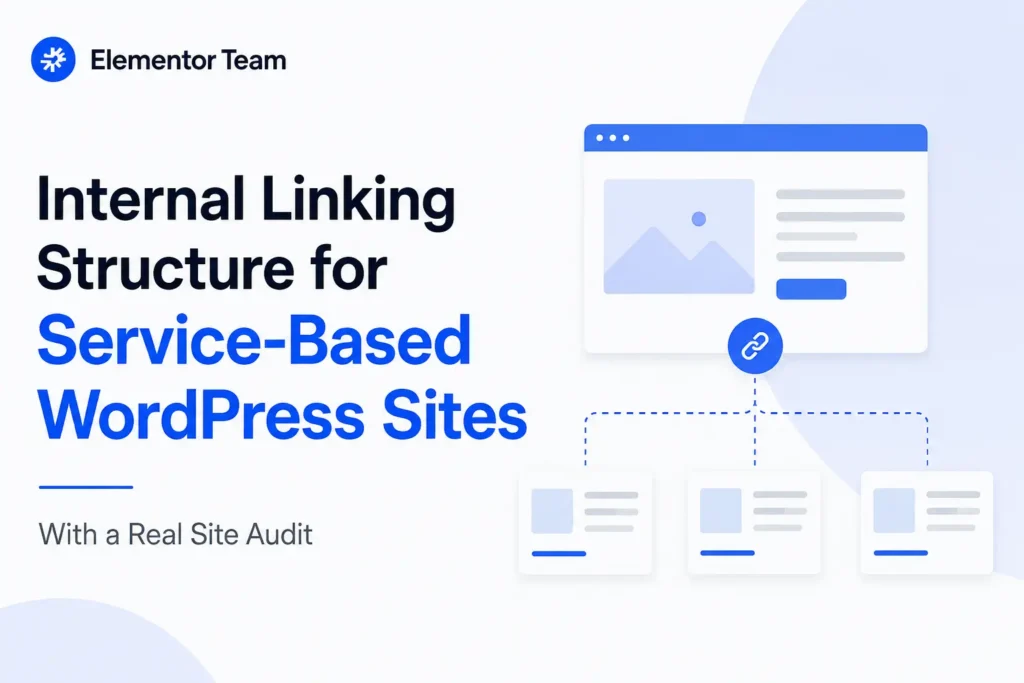
The most reliable internal linking model for a service business is hub-and-spoke, sometimes called topic clusters. It works like this:
- Pillar pages (hubs) are your core commercial pages — service pages, main category pages — that you most want to rank and convert on.
- Supporting content (spokes) are blog posts, guides, and FAQs that go deep on subtopics related to each pillar.
- Every spoke links up to its relevant pillar page, and every pillar page links out to several of its best spokes.
This does two things at once. It tells search engines clearly which pages are your commercial priorities, and it creates a logical path for a reader — someone lands on an educational blog post, gets value, and finds a direct link to the service page that can actually solve their problem.
A useful way to think about it: your pillar pages are what you want strangers to find through search engines, and your spoke content is what convinces those strangers you actually know what you’re talking about before they get there. Without links connecting the two, you’re essentially publishing proof of expertise that nobody — human or algorithm — can find their way to.
How Pillar and Spoke Pages Should Actually Relate to Each Other
It’s worth being specific about what “linking up to a pillar page” means in practice, because vague advice here leads to weak execution. A spoke post shouldn’t just mention the pillar topic once in a closing paragraph — the relationship should be evident from the content itself. If your pillar page is a WordPress speed optimization service, a spoke post about fixing Core Web Vitals issues should reference that service naturally in the context of explaining a fix, not just tack on a generic “contact us” link at the very end that feels disconnected from everything above it.
The reverse direction matters too. Pillar pages are often written as pure sales pages with no outbound links at all, which wastes an opportunity. A service page that links out to 3–5 of its best supporting blog posts gives visitors who aren’t ready to buy yet a reason to keep exploring the site instead of bouncing, and it reinforces to search engines that the service page is the authoritative hub for a well-developed topic, not an isolated sales pitch.
What Broken Internal Linking Looks Like: A Real Audit
To make this concrete, here’s what we found auditing a real WordPress and Elementor agency site’s internal linking — the same site referenced throughout this guide’s examples.
Dead Navigation Links
The homepage navigation had “Portfolio” and “Industries” both linking to # — a placeholder that goes nowhere — while the actual pages existed at working URLs elsewhere on the site. This is a common and easy-to-miss failure: the pages exist, they’re just not properly wired into the site’s primary navigation, which is the single highest-authority internal linking location on any website.
Orphaned Pages
The site had over 50 location-based service-area pages that existed in the XML sitemap but weren’t linked from the main navigation or footer at all. Pages that rely solely on the sitemap for discovery get crawled far less frequently and pass almost no internal authority, compared to pages linked from high-visibility areas like the footer or nav.
Icon Links Pointing to Nowhere
A “Trusted by businesses” section on the homepage displayed six industry icons — Restaurants, Healthcare, Real Estate, eCommerce, Hotels, Education — but only two of the six actually linked to their real industry pages. The other four pointed to #, even though the destination pages existed and were fully built out. This is a particularly costly mistake because homepage real estate is prime linking territory, and four working destination pages were getting effectively no benefit from it.
No Cross-Linking Between Related Blog Posts
The site had five separate blog posts all covering different angles of SEO — a Yoast setup guide, an Elementor-specific SEO guide, a plugin comparison, a content-structure guide, and a page-speed-and-rankings post. None of them linked to each other. Each was a dead end instead of a cluster, meaning a reader interested in one SEO topic had no path to the other four unless they happened to search separately for each one.
Inconsistent URL Structures Splitting Authority
Some pages used a trailing slash (/services/) and others didn’t (/portfolio), and the same page existed reachable at two different URLs (/contact/ and /contact-us/) depending on which part of the site linked to it. This splits whatever internal link equity exists between two versions of the same page instead of consolidating it onto one canonical URL.
How to Fix Internal Linking: A Practical Framework
Step 1 — Map Your Pillar Pages First
Before touching content, list every page you actually want to rank and convert on — typically your service pages and, if relevant, industry or location pages. These are your hubs. Everything else on the site should be evaluated by whether it supports one of these pages.
Step 2 — Group Existing Content Into Clusters
Go through your existing blog posts and group them by which pillar page they naturally support. In the site audit above, five separate SEO-related posts should have been treated as one cluster feeding into a single SEO service page pillar — instead they existed as five disconnected dead ends.
Step 3 — Fix High-Visibility Links First
Navigation menus, footers, and homepage sections carry more internal linking weight than a single mention buried in old blog post paragraph six. If your nav has dead links or your footer is missing key pages, fix these before anything else — they’re both the highest-impact and the fastest to fix.
Step 4 — Add Contextual Links Inside Content
Within blog posts, link to relevant service pages and other posts in the same cluster using descriptive anchor text — not generic phrases like “click here,” and not the exact same anchor text repeated everywhere, which can look manipulative rather than natural. A link like “our WordPress speed optimization service” tells both readers and search engines exactly what the destination page is about.
Step 5 — Standardize Your URL Structure
Pick one convention — trailing slash or not — and stick to it sitewide. Audit for pages reachable at more than one URL and 301-redirect the losing version to the canonical one, then update every internal link that pointed to the old URL.
Step 6 — Add Breadcrumbs
Breadcrumbs (Home > Services > Speed Optimization) reinforce your site hierarchy on every single page automatically, and they help both users and search engines understand where a page sits in your overall structure without you having to manually link it from everywhere.
Step 7 — Use Related-Content Widgets for Scale
Once you have more than a handful of blog posts, a related-posts section (filtered by category or tag) automatically reinforces cluster links across your whole content library without manual upkeep on every single post.
Why This Also Matters for AI Search
AI search tools and chat assistants that browse or cite web content tend to follow the same signals search engines have used for years: pages with strong internal linking read as more authoritative and better-connected than isolated pages, because the link structure itself demonstrates that a site treats the topic as genuinely important rather than incidental. A well-linked cluster of five SEO-related posts feeding into one clear service page gives an AI system a coherent picture of your expertise on that topic. Five disconnected posts read as five separate, unrelated pieces of content, even if a human would recognize they’re all part of the same subject area.
This is also where descriptive internal link anchor text pays off twice — it helps a human reader understand exactly what they’ll find by clicking, and it gives an AI system unambiguous, extractable context about what each linked page actually covers, without having to infer it from surrounding paragraph text.
How to Know If Your Internal Linking Fixes Are Working
Internal linking changes don’t show results overnight, but they’re measurable within a few weeks if you know where to look:
- Google Search Console’s Links report shows which pages have the most internal links pointing to them. After fixing dead navigation links and orphaned pages, check this report a few weeks later — previously orphaned pages should show a meaningful jump in internal link count.
- Crawl frequency for previously orphaned pages, visible in server logs or Search Console’s crawl stats, often increases once pages are properly linked, since search engines revisit well-linked pages more often.
- Average pages per session in your analytics tool is a practical signal for whether internal linking is actually helping visitors navigate — a rising number after adding contextual links and related-post sections suggests people are following the paths you’ve built rather than landing on one page and leaving.
- Rankings for previously orphaned or underlinked pages are worth tracking specifically, since these are the pages most likely to move once they finally receive internal link equity they weren’t getting before.
None of these move as dramatically as backlinks from major external sites, but internal linking has the advantage of being entirely within your control and free to implement — which makes it one of the highest-ROI fixes available to a service business managing its own WordPress site.
Internal Linking Checklist
- Every navigation link points to a real, working page — no placeholder
#links - Footer includes links to all major page categories (services, industries, locations, key blog posts)
- No pages exist only in the sitemap with zero links from navigation, footer, or other content
- Related blog posts on the same topic link to each other, not just to the pillar page
- Every blog post links to at least one relevant service or pillar page with descriptive anchor text
- URL structure is consistent (trailing slash decision applied sitewide)
- No single page is reachable at two different URLs without a redirect
- Breadcrumbs are implemented sitewide
- Homepage sections (icons, feature blocks, CTAs) link to real destination pages, not placeholders
Common Mistakes to Avoid
A few patterns are worth calling out specifically, since they undo the benefit of internal linking even when the intent is right:
- Over-optimized anchor text repeated everywhere. Using the exact same keyword-stuffed anchor text (“best WordPress speed optimization service”) on every single link to a page can look manipulative rather than natural. Vary the anchor text across different mentions while keeping it descriptive.
- Linking for the sake of a link count target. Adding links just to hit an arbitrary number per post produces exactly the kind of unnatural, low-value linking that undermines trust in the content. Every link should genuinely help the reader get to something relevant.
- Only linking downward, never sideways. Many sites link from blog posts up to service pages but never link related blog posts to each other. Both directions matter for building a genuine cluster.
- Forgetting to update old content. Internal linking fixes often focus on new content going forward, while a backlog of older posts stays permanently unlinked. Set aside time specifically to revisit and add links to your existing content library, not just new posts.
FAQ
How many internal links should a blog post have?
There’s no fixed number, but a reasonable target is 2–5 contextual internal links per post — enough to connect it to relevant pillar pages and related content without stuffing links in every sentence.
Should I link to the same page multiple times from one post?
Generally limit it to one or two links to the same destination per post, using different anchor text if you link twice, so it reads naturally rather than as manipulation.
What’s more important: internal links or backlinks?
They serve different purposes and both matter, but internal linking is entirely within your control and can be fixed immediately, while backlinks depend on external factors and take longer to build. For most service businesses with an existing library of underlinked content, fixing internal linking is the faster win.
Do orphaned pages ever get indexed at all?
They can, especially if submitted through an XML sitemap, but they’re typically crawled less frequently and rank worse than pages with real internal links pointing to them, since search engines use internal linking as one signal of a page’s relative importance on the site.
How do I find orphaned pages on my own WordPress site?
Compare your XML sitemap against a full site crawl (using a tool like Screaming Frog) that only follows actual links rather than reading the sitemap directly. Any URL that appears in the sitemap but doesn’t show up in the link-based crawl is effectively orphaned — it exists, but nothing on the site actually links to it.
Get Your Internal Linking Fixed
If your WordPress site has content spread across services, blog posts, and location or industry pages that aren’t properly connected, our technical SEO service includes a full internal linking audit and fix as part of the process. For the duplicate-content side of multi-location sites specifically, see our guide on building location pages without getting hit for duplicate content, and for the technical foundation this all sits on, our guide to structuring WordPress content for AI search.
Everything is very open with a precise description of the
issues. It was definitely informative. Your website is useful.
Thank you for sharing!
Pingback: What Real Estate Sites Need for Local SEO (2026 Guide)