pect products when shopping online.
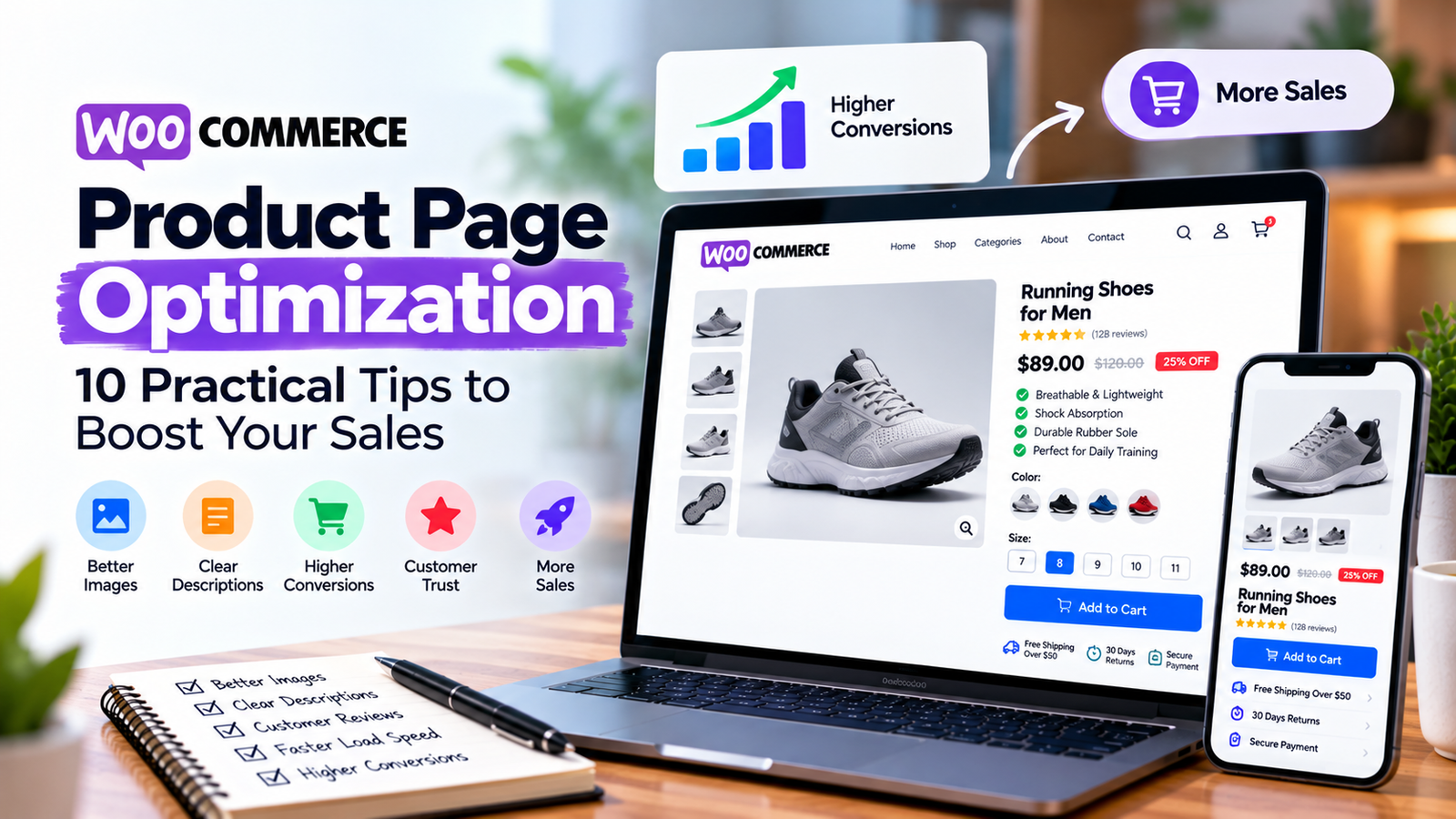
Clear images help them understand the product before purchasing.
Consider including:
A main product image
Additional viewing angles
Close-up details
Relevant scale or size references
Lifestyle images where helpful
Use consistent image styling and accurate colors.
Compress images appropriately so they do not unnecessarily slow the page.
- Write Useful Product Descriptions
A good product description answers practical buying questions.
Explain what the product does, its main features, and who it is suitable for.
Avoid repeating the product name or filling the description with generic sales language.
For technical products, include factual specifications such as dimensions, materials, compatibility, or capacity.
Different products should have accurate, appropriately distinct descriptions.
- Make the Add to Cart Button Visible
Customers should not struggle to find the next step.
Use a clearly labeled Add to Cart button with sufficient contrast and comfortable spacing.
Check its position on desktop and mobile.
For variable products, make sure required options such as color and size are understandable.
Show useful feedback when an option must be selected before purchasing.
- Display Pricing Transparently
Unclear pricing can create hesitation.
Show the actual product price and accurately explain sale prices, taxes, or other relevant charges.
If additional costs appear later in the checkout process, make sure they are communicated appropriately.
Customers should not need to guess what they will pay.
- Explain Shipping and Returns
Shipping and return policies are important parts of the purchasing decision.
Product pages can link to clear information about:
Available delivery regions
Estimated delivery windows
Shipping costs or calculation methods
Return eligibility
Warranty information, if applicable
Only display claims your business can support.
- Use Authentic Customer Reviews
Relevant reviews may help customers evaluate a product.
Enable reviews where appropriate and make them easy to read.
Avoid fabricated testimonials or misleading ratings.
For products that require detailed evaluation, customer photos and descriptions may provide useful additional context when collected with permission.
- Optimize the Mobile Shopping Experience
Many customers browse stores using smartphones.
Review product images, variation selectors, descriptions, and the Add to Cart button on smaller screens.
Make sure important information remains accessible.
Test the complete buying process, not just the product page layout.
A responsive page should allow customers to select options and proceed to checkout without confusion.
- Improve Product Page Performance
Large images, unnecessary scripts, and poorly configured plugins can slow WooCommerce product pages.
Start by testing important product URLs using performance tools.
Investigate the specific causes of poor loading or interaction performance before making changes.
Potential improvements include optimized images, suitable caching, reduced unnecessary scripts, and improved hosting.
Test checkout, cart, and account functionality after performance changes.
- Add Relevant Internal Links and Related Products
Help customers find related information without overwhelming them.
Relevant links may include:
Product categories
Compatible accessories
Similar products
Size guides
Shipping and returns information
Related products should be genuinely relevant.
Avoid filling the page with unrelated recommendations that distract visitors.
How to Measure Product Page Performance
Use analytics to understand how shoppers interact with your pages.
Useful measurements include product views, Add to Cart actions, checkout starts, and purchases.
Consider evaluating individual products rather than only store-wide conversion rates.
For example, if a frequently viewed product has unusually few Add to Cart actions, investigate its price presentation, images, product details, and availability.
Treat these measurements as clues rather than automatic explanations.
Need Help Improving Your WooCommerce Store?
At Elementor Team, we build and improve WooCommerce websites with attention to product presentation, mobile usability, and the customer buying journey.
Explore our eCommerce Development Services to discuss improvements to your online store.
Frequently Asked Questions
What is WooCommerce product page optimization?
It is the process of improving a product page’s content, layout, performance, usability, and purchasing experience.
Can Elementor customize WooCommerce product pages?
Yes. Elementor Pro provides WooCommerce-related design capabilities for compatible WordPress setups.
Do product descriptions affect SEO?
Useful product descriptions can help search engines understand a page and help customers evaluate products. Rankings depend on many factors.
Should every WooCommerce product have a unique description?
Whenever practical, use accurate, useful descriptions that reflect the specific product instead of repeating generic text.